




Network Cabling Help - Copyright © 2016 - All rights reserved. - Privacy and Cookie Policy


Networking
As the name implies, networking is the connecting together of PC's and printers to allow resources to be shared. There are various methods of doing this, such as
peer to peer, client/server, and main frames which serve dumb terminals. All of the
examples on this page can be connected via Cat 5/5e/6 cabling by using adapters
or baluns. Adapters convert whatever connectors are normally used to RJ45, and
baluns also match the impedance to that of the systems normal cabling
environment.
allow resources to be shared. There are various methods of doing this, such as
peer to peer, client/server, and main frames which serve dumb terminals. All of the
examples on this page can be connected via Cat 5/5e/6 cabling by using adapters
or baluns. Adapters convert whatever connectors are normally used to RJ45, and
baluns also match the impedance to that of the systems normal cabling
environment.
Peer to Peer
Peer to peer networking is usually found in small offices, shops, and
nowadays even in homes. This method allows PC's to access information
which is kept on any of the machines that are connected to the network, and
to print to any of the printers on the network. This can become impractical
however, when the amount of machines or the amount of traffic on the network
starts to impact on the speed in which information can be accessed.
Client/Server
Another method is client/server networking, this system employs dedicated PC's or file server's which
hold a companies information data bases in one location. Each of the users on the network can access
files from the servers, and save files to the servers. This keeps all critical data in one place, and gives
each user a dedicated link to that information. Keeping all of a company's data on one machine also has
the added advantage making it easier to backup.
Main Frame
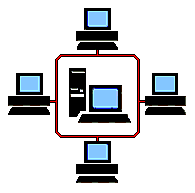
In the days before PC's, information was stored on a "main frame" and accessed by terminals which
where connected to it. This was, in effect, like having one computer with lots of individual keyboards and
screens all working the same machine. These "dumb terminals" had no processing power of their own
and relied on the processing power of the main frame computer to do all the work. Some systems today
are often mistakenly referred to as main frames, when in actual fact they are mini computers. They can
however, have dumb terminals connected to them just as the main frames of the 60's and 70's did.
Here are some of the obsolete older systems.
IBM 3270
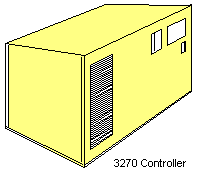
This was a main frame type system which used coaxial cable to
connect dumb terminals to a controller. The topology was a
hierarchical star configuration where the controllers were star wired
from the 3270 and positioned around the building, the terminals were
then star wired from the controllers. The controllers were beige
coloured boxes which measured about 18" high and 24" wide. Baluns
for
the 3270 were needed to allow these terminals to connect over Cat 5
cabling.
IBM System 36 & 38
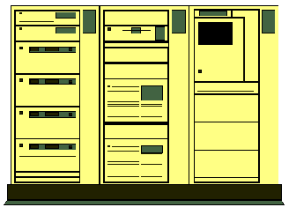
Again, a main frame type system but with a star/bus topology which used twinaxial cable (like coax but
having two cores). The System 36 and 38 were large blue and white machines with built in consoles,
each of their ports supported 7 devices which could be terminals or printers. The devices were daisy
chained from the machines workstation controller ports, linking in and out of the terminals and printers.
On sites where Type 1 or Cat 5 cable had been installed, it was usual to find 'star concentrators' or 'Loop
Wiring Concentrators' (LWC), these simply carried out the daisy chaining of the terminals at the patch
cabinet to enable the building to be star wired. This made it a more flexible system as the terminals
didn’t need to be grouped in the same geographical area to be daisy chained. So if a person were to
move to a different location in the building, they would simply plug their terminal into the nearest data
outlet and re-patch the connection in the cabinet. Before this, such a move would have meant finding the
nearest available line, diverting it in and out of the re-positioned terminal, and then re-addressing it.
IBM AS400
This was the successor to the System 38 and its native
environment was also a star/bus topology using
twinaxial cable. However AS400's could also be
connected over an Ethernet or Token Ring network just
like a PC or a server. The advantage of this was the
reliability of a main frame, with the speed and flexibility
of a PC.
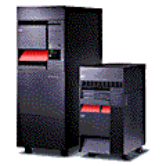
AS400's used to be large boxes that filled the air conditioned computer rooms of only a
few years ago. Each rack could contain disk drives, processors or tape backup
devices and required dedicated three phase supplies to power them. The
modern IBM servers are considerably smaller than their older counterparts, but
with a lot more processing power.
RS232 networks
The serial communications standard was defined by the Electronics Industries Association (EIA), and in
1969 it established the Recommended Standard number 232 version C (RS-232C) which is still the most
widely used serial standard today.
Some networks used a PC as a server and serial connections to attach other PC's which need access to
the information stored on the server. These systems are becoming increasingly rare, usually found in
small offices and shops where speed is not an issue. Each PC is connected via a screened multicore
cable to what is sometimes referred to as a 'terminal server board'. These can also be wired with
Category 5e cabling via an adapter, the adapter simply changes the serial connection from either a 25 or
9 way D type, to an RJ45 socket.
ARCnet
This was developed at about the same time as Ethernet (1970's) by the Datapoint Corporation, but due
to its proprietary nature, it wasn't as widely accepted as Ethernet or Token Ring.
ARCnet used a polling system whereby one machine became the master controller, and polled each of
the other machines on the network to see if they had
any data to transmit. Each machine had to wait for
its turn before it could use the network and this
made it quite a reliable system. The original ARCnet
only had a signal speed of 2.5Mbps and although a
20Mbps version (ARCnet Plus) was introduced in
1992, it still didn't become very popular.
This was quite a rare system but as it was once one
of the main three, it is worth mentioning.
Other Types of Networks